

Generate a ready stream of design solutions by simply clicking the colorful symmetry buttons. There are exactly seventeen types of symmetry that can be used to create a pattern, all available to you in the SymmetryShop palette.
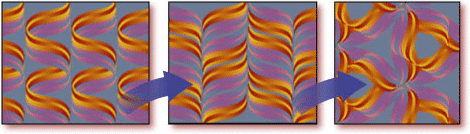

One-click creation of popular repeats
Create many popular repeats with just one click. Simply choose drop, brick, diamond, gradation, scale, spot, grid, and other repeat types from the Layout list. Then quickly customize the built-in layouts. Even create a variety of special effects, such as optical effects.
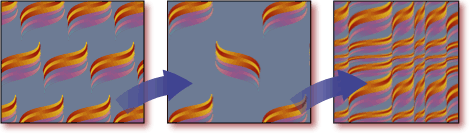
Select a part of the image as a "seed" (motif) and easily build organic, interlocking patterns by letting your design elements overlap. Or clip repeating units and create kaleidoscopic patterns.
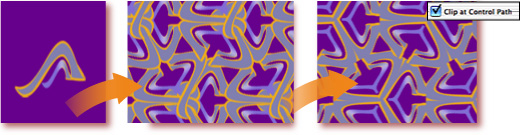
Easily control the amount of overlap of the neighboring units and smooth the boundaries away by applying the feather effect.
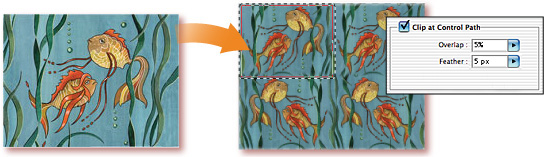
Create just one tile, a border, or a surface pattern. You have full control over exactly how many repeating units the plug-in makes for you.
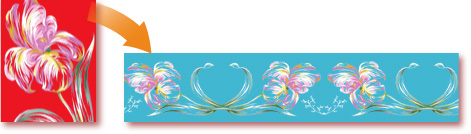
With smart objects, you can use any combination of layers as a motif, even complex vector images, such as SymmetryWorks patterns created in Adobe Illustrator. Possibilities are indeed unlimited.
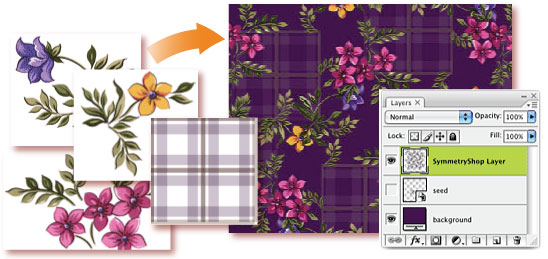
Also use smart objects to quickly create pattern designs from elements that are arbitrarily scattered over the repeat area. Keep similar elements linked to each other. Make as many copies as you wish. Freely rotate, flip, and scale copies to achieve a more organic look. Edit one element and instantly apply the changes to all linked copies. Reposition elements in your seed layer at any time, add or remove copies, or apply other non-destructive transformations. Rebuild the pattern with a click when you are ready.
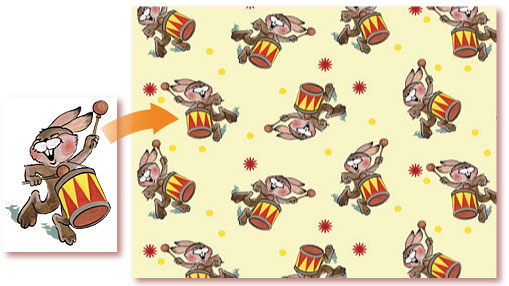
Freely use one SymmetryShop pattern as a motif for another pattern. By enclosing a pattern in a smart object, you can nest patterns and create virtually any type of repeat, while keeping all components separately editable.
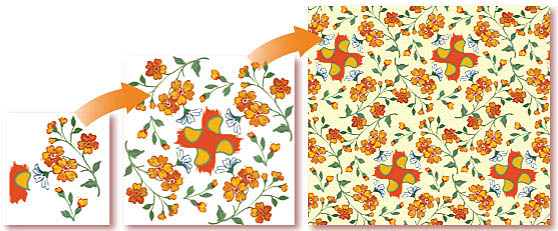
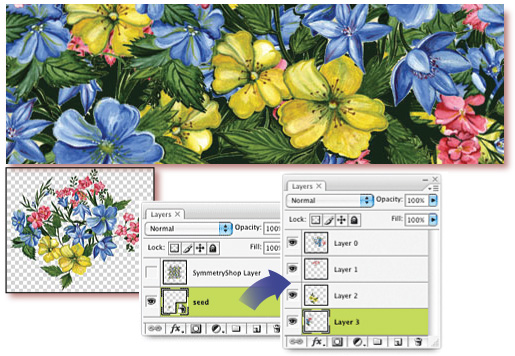
Combine as many image layers as you like in a smart object and use the object as the seed layer of your SymmetryShop patterns. The source layers will remain completely independent and you will be able to replace, edit, transform, or otherwise rearrange the elements of your motif. Then rebuild the pattern with a click.
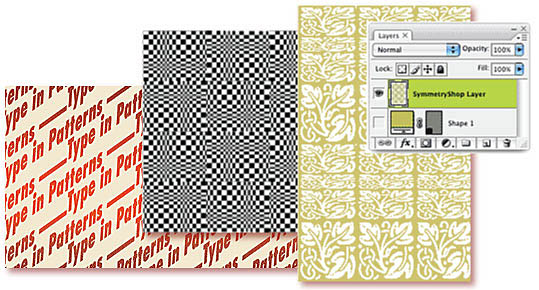
Create patterns from text or other vector shapes and fill layers (filled with a solid color, gradient, or pattern). Edit the text at any time, change the font or formatting, warp, or apply any other Photoshop editing technique. Edit vectors with Photoshop's vector tools. And, again, rebuild with a click.
SymmetryShop lets you select a part of a layer to use in your pattern. But you can also apply Photoshop's layer and vector masks to isolate (mask) parts of the seed layer that you do not want to use. Edit your masks with the familiar Photoshop tools at any time and rebuild your pattern.
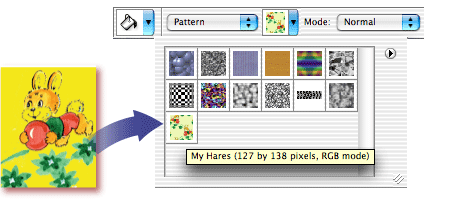
Instantly export your finished design—or any number of intermediate snapshots—as Photoshop pattern fills. The plug-in adds your pattern to Photoshop presets and makes it available to the paint bucket, pattern stamp, healing brush, and other tools, as well as to the Layer Style dialog.
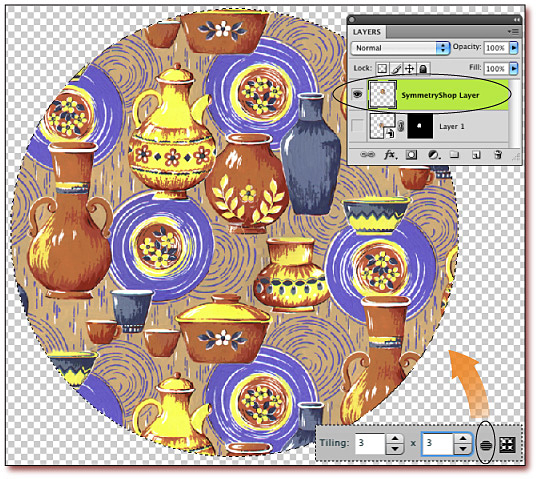
Fill the entire SymmetryShop Layer with a pattern or preview the pattern in
another layer. Fill the whole layer or a selected region. The Preview
Pattern button lets you instantly see the exact result that will be produced
when you export your SymmetryShop pattern as a Photoshop preset.
Unlimited iterations and refinement in multiple Photoshop sessions
Easily change parameters and tweak the design when your customer requests a modification. Because the plug-in automatically saves everything it needs to rebuild your pattern, you simply open your old SymmetryShop file and pick up right where you finished!
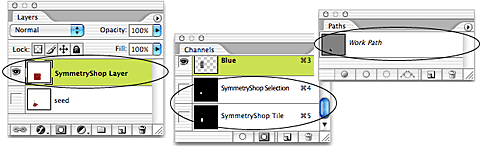
One-click pattern/motif toggling
It is easy to go back to editing your motif in SymmetryShop 3. The Target Seed/Pattern Layer button lets you quickly toggle between the pattern layer and the seed layer with a single click.
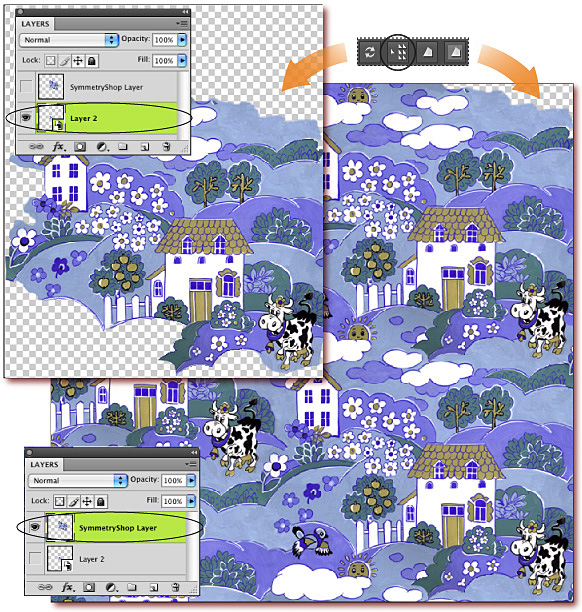
Easy selection of the control path
Instantly select the control path to visualize or transform it as needed. Deselect with a click too. The Select/Deselect Control Path button in the SymmetryShop panel lets you quickly switch between editing pattern elements and changing the repeat size.
Use images of any size that are supported in your version of Photoshop. The plug-in does not limit document sizes in any way.
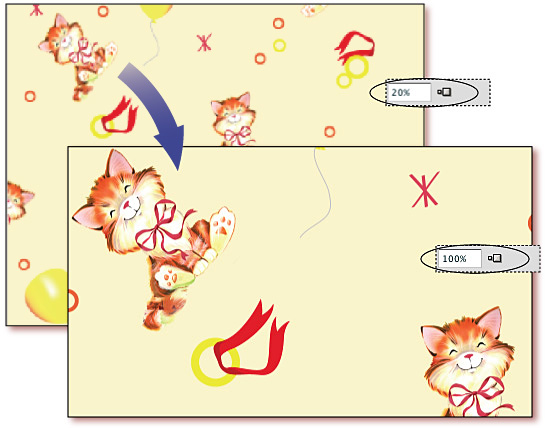
Dynamically adjusted image size
Dramatically increase speed and improve performance by reducing the image size of your pattern on the fly. SymmetryShop preserves the quality of your original motif in a smart object and lets you rebuild the pattern at full size as soon as it is ready.
Access the plug-in at any time as a regular Photoshop free-floating panel. Move the panel to a convenient place on your screen or dock it with other Photoshop panels.


