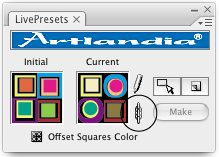

The plug-in introduces a new Illustrator object, a live copy of a pattern swatch or symbol. Edit the live copy and the linked swatch or symbol instantly change.


Create a LivePresets object on the fly and start editing. Revert to the initial state at any time. Delete with a click when done.
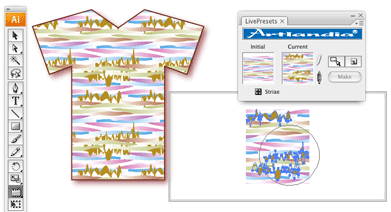
Your edits immediately apply to all Illustrator objects that use the swatch or symbol, including regular and compound paths, plug-ins, live effects, graphics styles, symbol sets, nested symbols, and symbols mapped on 3D objects.

Easily save snapshots while you work. Snapshots are automatically added to the Swatches or Symbols palette.
Easy insertion of new art objects
Draw freehand and instantly add new art to the swatch or symbol using the Target with Drawing Tools mode.
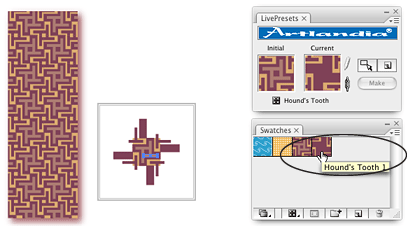
Interactive changes of the repeat size in patterns
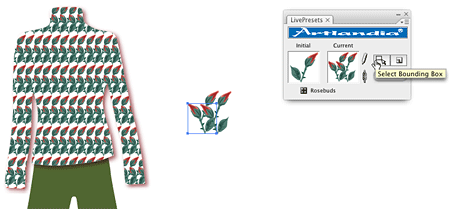
Use the Select Bounding Box button to get a hold of the pattern bounding box. Or create a new bounding box if your swatch does not have one. Edit the bounding box to interactively change the repeat size.
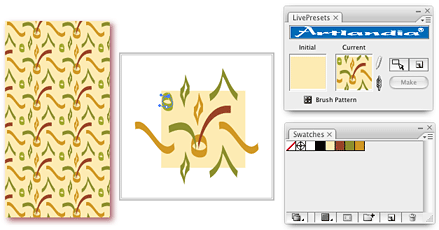
Support for editable objects in pattern swatches
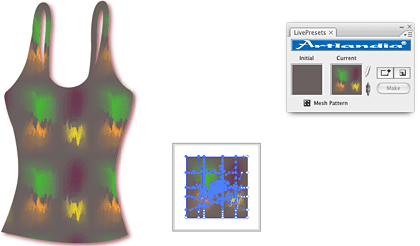
Illustrator expands brushes, blends, symbols, meshes, and other complex objects when inserting them in a pattern swatch. However, you can keep such objects in their non-expanded, editable form with LivePresets. Simply cut and paste a complex Illustrator object into your LivePresets swatch.
Unlink your LivePresets objects from the rest of the artwork at any time to suspend interactive updates. When ready, re-link with a click to apply all updates at once.