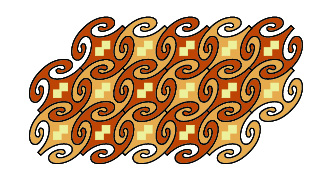
1
Start by drawing a short line with the pencil tool. • Make the
SymmetryWorks pattern of the type Perpendicular mirrors & glide (cmm). •
Suitably increase the size of the control path.
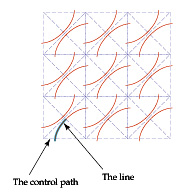
2
Complete the contour interactively using the pen or pencil tool. Of
course, you draw only the highlighted part — and the plug-in provides
the rest.
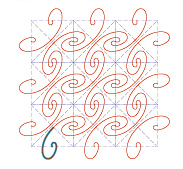
3
Copy the pattern to another window. • Expand it. • Pick the neighboring
lines that make up the contour of one of the "jigsaw" pieces and discard
the rest. • Join the lines of the contour. • Apply a fill color.

4
Replace the highlighted line created in step 2 with the solid piece in
step 3. • Optionally add the squares for ornamentation.
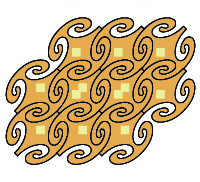
5
Expand the pattern. • Apply a darker fill color to every other
interlocking piece.