
Get up to speed with SymmetryMill basics in just a few minutes.

Select a part of your image with the control path and SymmetryMill turns it into a pattern.

SymmetryMill cursors guide you as you work.

Brick and Drop repeats are very common in pattern design and they are very easy to create in SymmetryMill.
SymmetryMill makes it exceptionally easy to share your work.
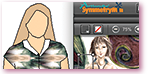
Use the free version of SymmetryMill and the free version of SketchUp to interactively design patterns for garments.
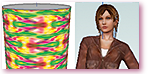
Applying SymmetryMill textures is no different than applying any other SketchUp textures—learn to do it quickly and efficiently.
Like SketchUp's Color by Layer style? Learn to use it with SymmetryMill.